Sring Ai-入门
介绍
在当今这样一个快速发展的技术时代,人工智能(AI)已经成为各行各业的一种标配。而作为一款主流的Java应用开发框架Spring,肯定会紧跟时代的潮流,所以,推出了Spring AI框架。
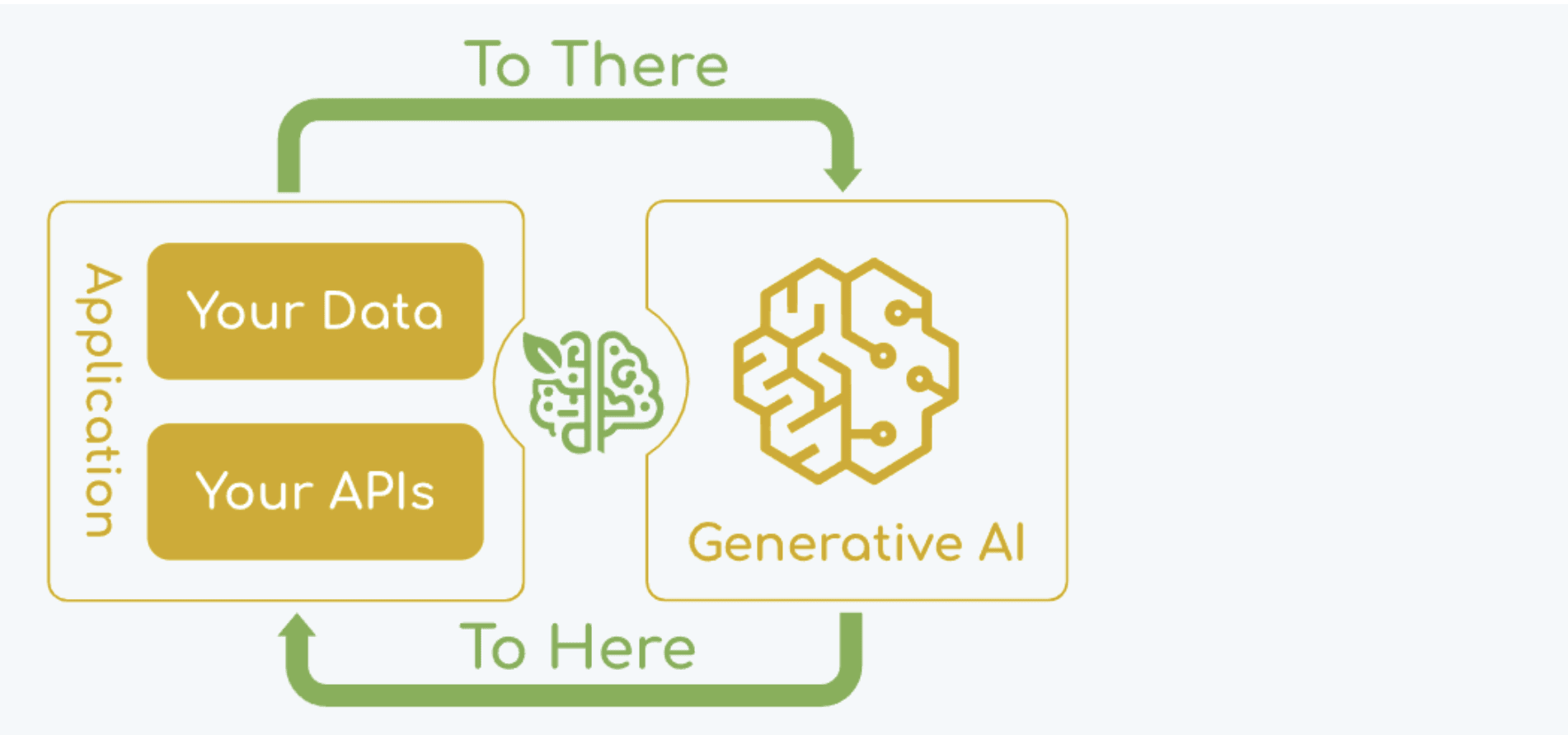
- Spring AI是一个AI工程领域的应用程序框架;
- Spring AI 是 AI 工程的应用框架。其目标是将 Spring 生态系统设计原则(如可移植性和模块化设计)应用于 AI 领域,并促进使用 POJO 作为应用程序的构建块到 AI 领域。
- 它的目标是将Spring生态系统的设计原则应用于 AI 领域,比如Spring生态系统的可移植性和模块化设计,并促进使用 POJO 作为应用程序的构建块到 AI 领域;
- Spring AI 的核心是提供了开发 AI 大模型应用所需的基本抽象模型,这些抽象拥有多种实现方式,使得开发者可以用很少的代码改动就能实现组件的轻松替换;
- 简言之,Spring AI 是一个 AI 工程师的应用框架,它提供了一个友好的 API 和开发 AI 应用的抽象,旨在简化 AI 大模型应用的开发工作。
快速入门
集成DeepSeek前置动作
- 进入DeepSeek官网 https://www.deepseek.com/ 点击右上角的 API开放平台
- 进入API开放平台,注册用户
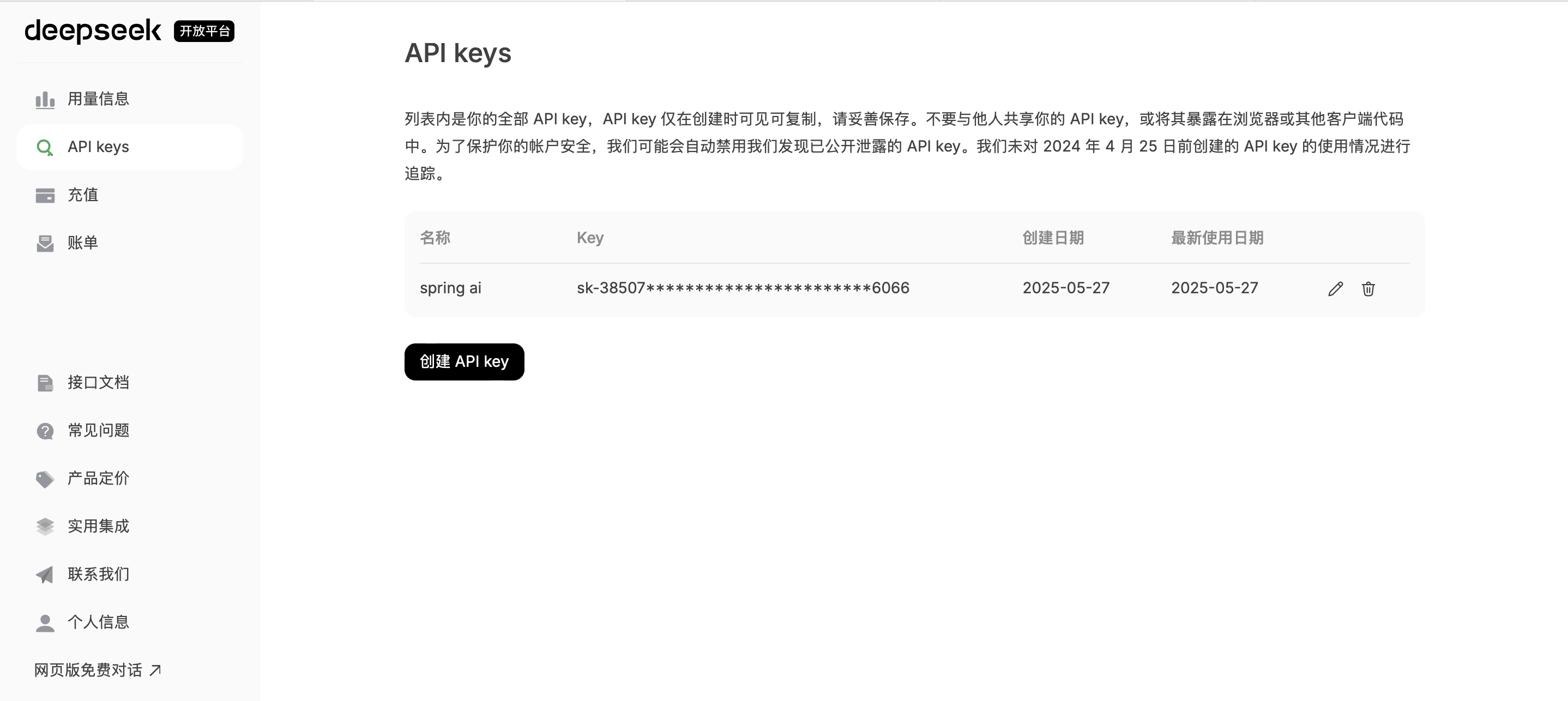
- 创建API key
- 根据自己需要,自行充值
创建springboot项目
- 限制:springboot 32x,JDK at least Java 17
- pom.xml(引入依赖)
<?xml version="1.0" encoding="UTF-8"?>
<project xmlns="http://maven.apache.org/POM/4.0.0" xmlns:xsi="http://www.w3.org/2001/XMLSchema-instance"
         xsi:schemaLocation="http://maven.apache.org/POM/4.0.0 https://maven.apache.org/xsd/maven-4.0.0.xsd">
    <modelVersion>4.0.0</modelVersion>
    <parent>
        <groupId>org.springframework.boot</groupId>
        <artifactId>spring-boot-starter-parent</artifactId>
        <version>3.5.0</version>
        <relativePath/> <!-- lookup parent from repository -->
    </parent>
    <groupId>org.example</groupId>
    <artifactId>springAi</artifactId>
    <version>0.0.1-SNAPSHOT</version>
    <name>springAi</name>
    <description>springAi</description>
    <url/>
    <licenses>
        <license/>
    </licenses>
    <developers>
        <developer/>
    </developers>
    <scm>
        <connection/>
        <developerConnection/>
        <tag/>
        <url/>
    </scm>
    <properties>
        <java.version>17</java.version>
    </properties>
    <dependencies>
        <dependency>
            <groupId>org.springframework.boot</groupId>
            <artifactId>spring-boot-starter-web</artifactId>
        </dependency>

        <dependency>
            <groupId>org.springframework.boot</groupId>
            <artifactId>spring-boot-devtools</artifactId>
            <scope>runtime</scope>
            <optional>true</optional>
        </dependency>
        <dependency>
            <groupId>org.springframework.boot</groupId>
            <artifactId>spring-boot-configuration-processor</artifactId>
            <optional>true</optional>
        </dependency>
        <dependency>
            <groupId>org.projectlombok</groupId>
            <artifactId>lombok</artifactId>
            <optional>true</optional>
        </dependency>

            <dependency>
                <groupId>org.springframework.ai</groupId>
                <artifactId>spring-ai-openai-spring-boot-starter</artifactId>
            </dependency>

        <dependency>
            <groupId>org.springframework.boot</groupId>
            <artifactId>spring-boot-starter-test</artifactId>
            <scope>test</scope>
        </dependency>
    </dependencies>

    <dependencyManagement>
        <dependencies>
            <dependency>
                <groupId>org.springframework.ai</groupId>
                <artifactId>spring-ai-bom</artifactId>
                <version>1.0.0-M5</version>
                <type>pom</type>
                <scope>import</scope>
            </dependency>
        </dependencies>
    </dependencyManagement>

    <repositories>

        <repository>
            <id>spring-milestones</id>
            <url>https://repo.spring.io/milestone</url>
        </repository>
        <!-- 如果需要 SNAPSHOT 版本才启用 -->
        <repository>
            <id>spring-snapshots</id>
            <url>https://repo.spring.io/snapshot</url>
            <snapshots>
                <enabled>true</enabled>
            </snapshots>
            <releases>
                <enabled>false</enabled> <!-- 不检查 RELEASE 版本 -->
            </releases>
        </repository>
    </repositories>

    <build>
        <plugins>
            <plugin>
                <groupId>org.apache.maven.plugins</groupId>
                <artifactId>maven-compiler-plugin</artifactId>
                <configuration>
                    <annotationProcessorPaths>
                        <path>
                            <groupId>org.springframework.boot</groupId>
                            <artifactId>spring-boot-configuration-processor</artifactId>
                        </path>
                        <path>
                            <groupId>org.projectlombok</groupId>
                            <artifactId>lombok</artifactId>
                        </path>
                    </annotationProcessorPaths>
                </configuration>
            </plugin>
            <plugin>
                <groupId>org.springframework.boot</groupId>
                <artifactId>spring-boot-maven-plugin</artifactId>
                <configuration>
                    <excludes>
                        <exclude>
                            <groupId>org.projectlombok</groupId>
                            <artifactId>lombok</artifactId>
                        </exclude>
                    </excludes>
                </configuration>
            </plugin>
        </plugins>
    </build>

</project>
- 创建配置文件application.properties
spring.application.name=springAi
server.port=8899
spring.ai.openai.api-key=sk-xxxxxxxxxxx26066
spring.ai.openai.base-url=https://api.deepseek.com
spring.ai.openai.chat.options.model=deepseek-chat
spring.ai.openai.chat.options.temperature=0.7
{% label 注:temperature参数用于控制生成文本的多样性。具体来说:值越高,生成的文本越多样化,但也可能包含更多的随机性和不可预测的内容;值越低,生成的文本越接近于确定性的结果,即生成的文本会更加一致和可预测。 red %}
- 创建Controller
package org.luochen.springai.controller;

import org.springframework.ai.openai.OpenAiChatModel;
import org.springframework.beans.factory.annotation.Autowired;
import org.springframework.web.bind.annotation.GetMapping;
import org.springframework.web.bind.annotation.RequestParam;
import org.springframework.web.bind.annotation.RestController;

@RestController
public class ChatDeepSeekController {

    @Autowired
    private OpenAiChatModel chatModel;

    @GetMapping("/ai/generate")
    public String generate(@RequestParam(value = "message", defaultValue = "hello")
                           String message) {
        String response = this.chatModel.call(message);
        System.out.println("response : "+response);
        return response;
    }
}
- 测试:

评论区
评论加载中...